
In step 3, you’ll personalize your Plan so that it fits your life, reflects your priorities, and gets you to the next milestone (2-10 mins).
Plan Introduction
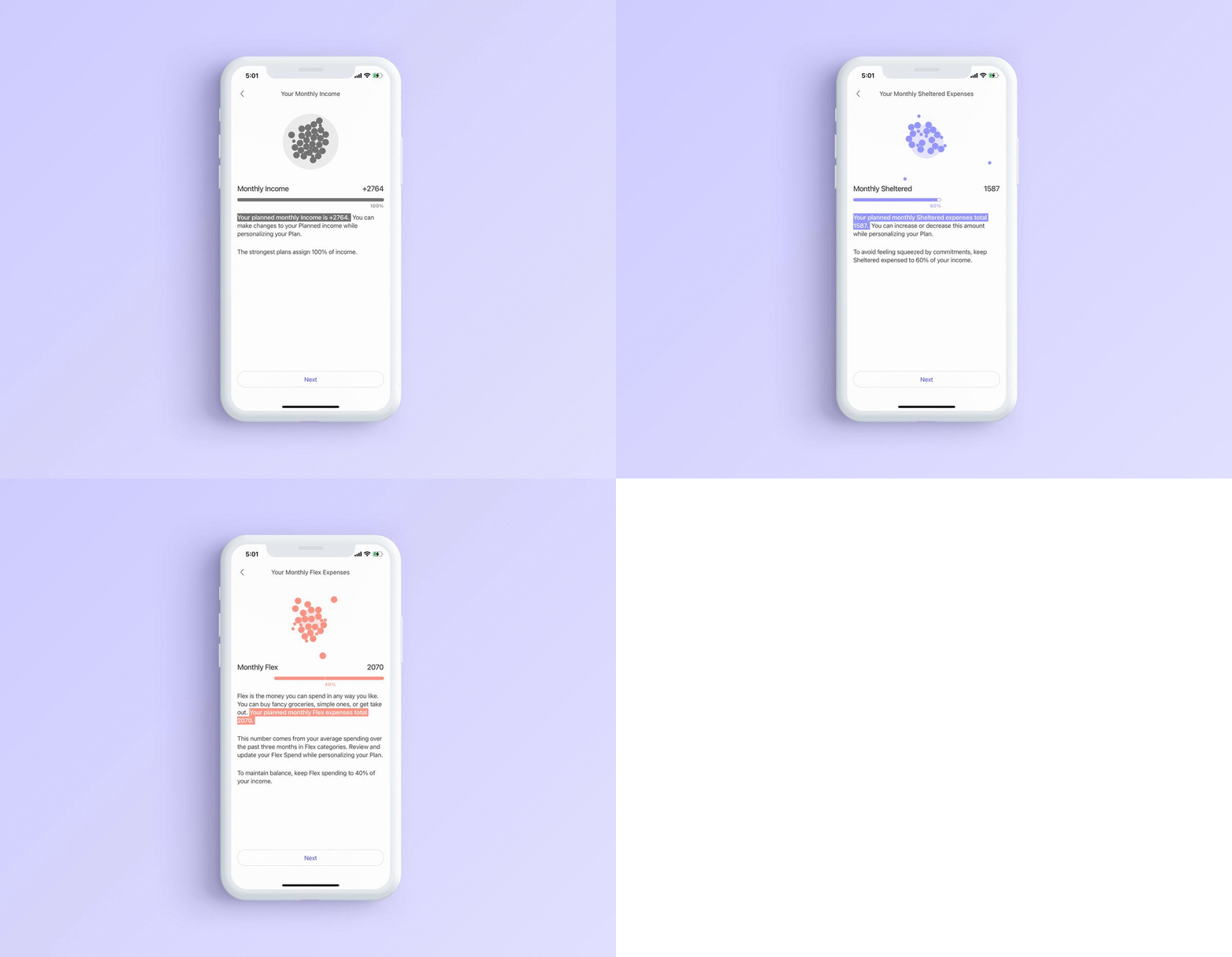
First, we'll present your Income, Sheltered, and Flex averages and introduce a few principles and best practices when making a Plan with The Beans:
- The strongest plans assign 100% of Income
- To avoid feeling squeezed by commitments, keep Sheltered expenses at or below 60% of your income.
- To maintain balance, keep Flex spending to 40% of your income.
Plan
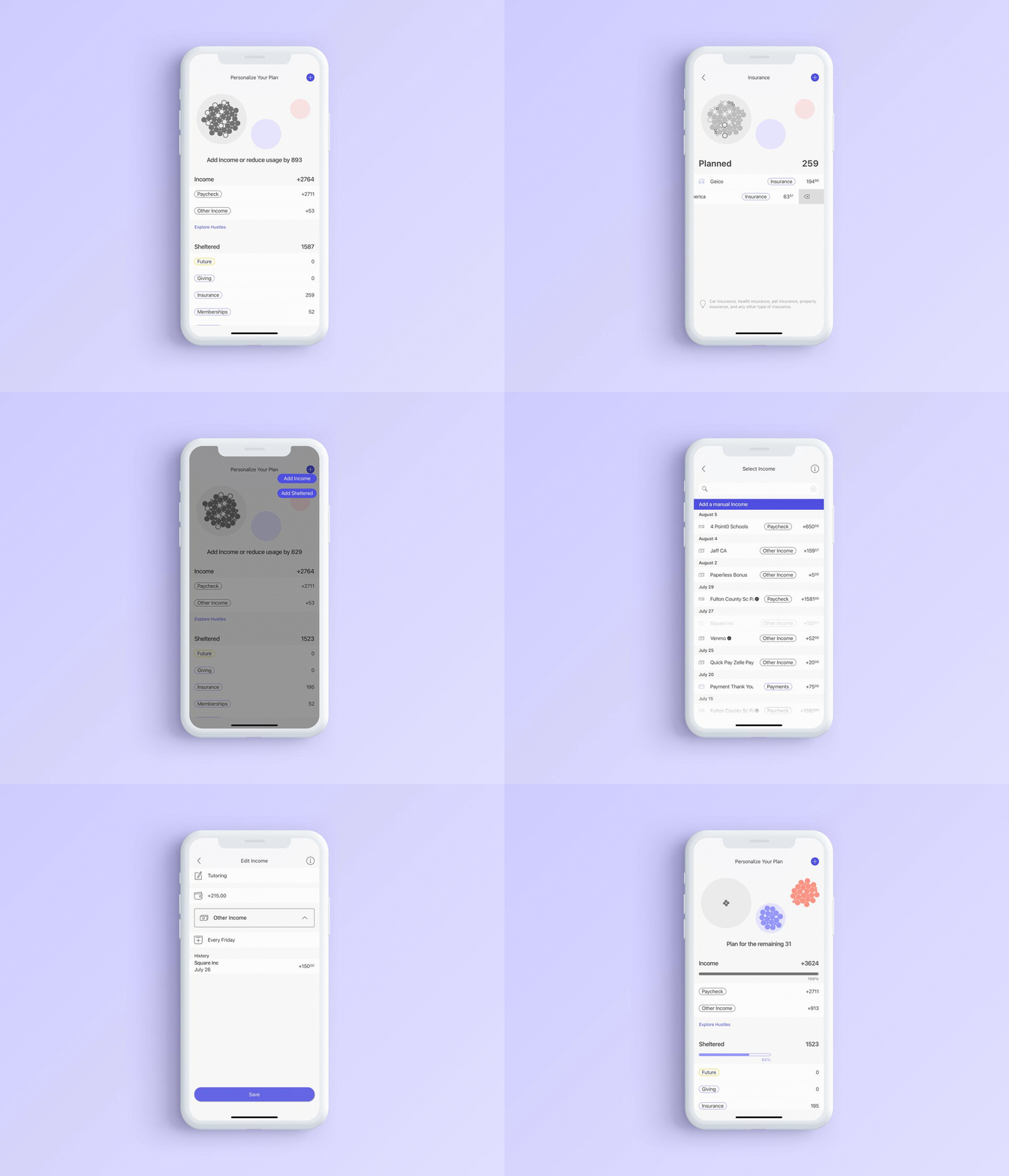
We created a draft of your Plan based on the expenses you confirmed and your average spending. Review each category, allocate 100% of your Income, and make changes to align your Plan with your values and goals.
- Grey beans = Income
- Orange beans = Income assigned to Flex expenses
- Purple beans = Income assigned to Sheltered expenses
- Outlined grey beans = Not enough Income to cover expenses, you'll need to reduce expenses or add Income
When you land on the screen:
- If all of your beans are grey, you'll need to reduce how much money you're allocating to your categories until you're using 100% or less of your Income. The outlined beans represent how much you're using beyond your Income.
- If your beans are grey, orange, and purple begin allocating 100% of your Income.
Income and Sheltered expenses
If you have any new Incomes or Sheltered expenses to add, use the + sign in the top right to select the corresponding transaction. If you need to remove an Income or Sheltered expenses, swipe it away.
Hustle
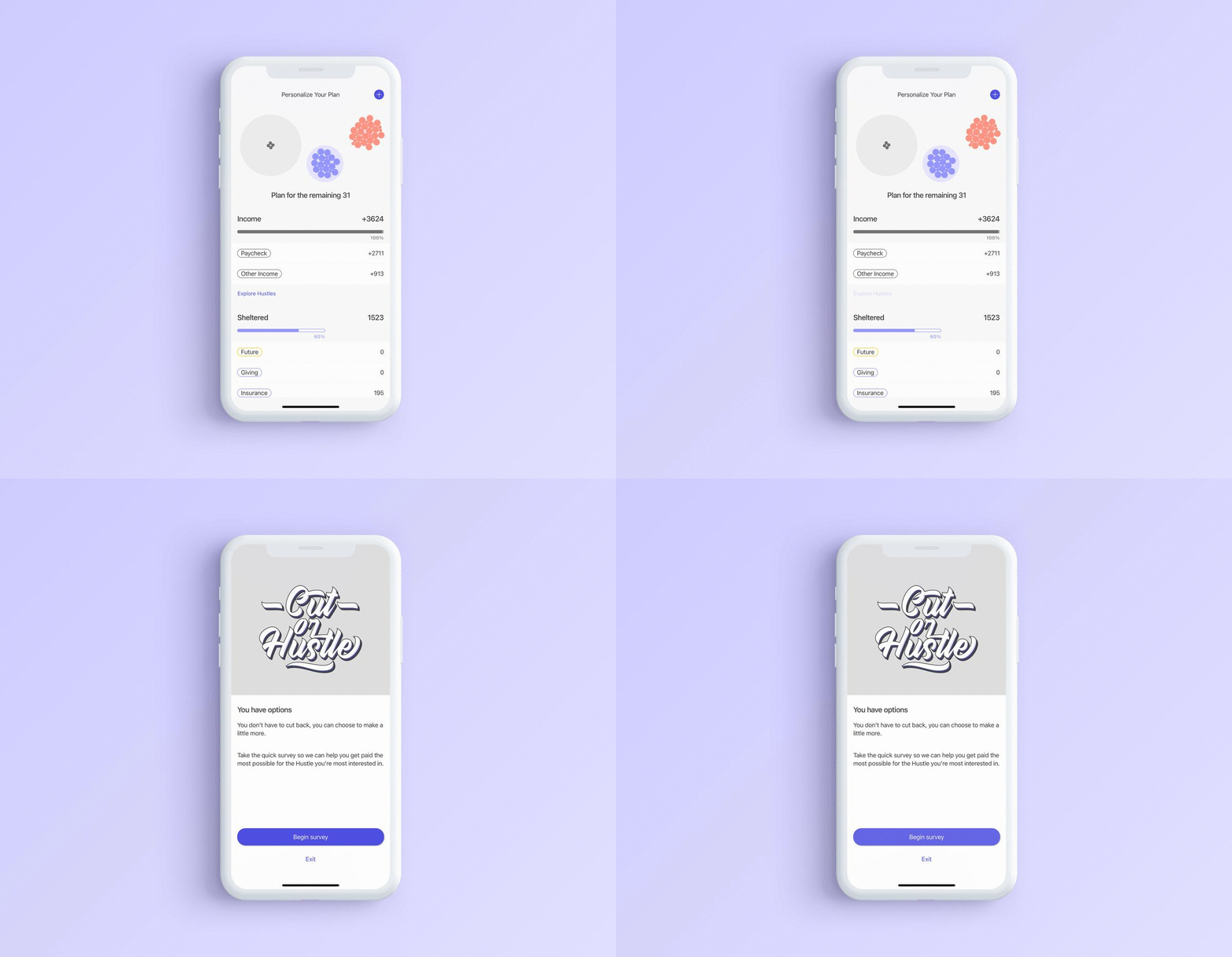
Don't have enough Income to cover your expenses or are you trying to make more money to accomplish a goal? Take the "Hustle" survey and we'll email you a list of contract jobs to consider with our partners.
Flex expenses
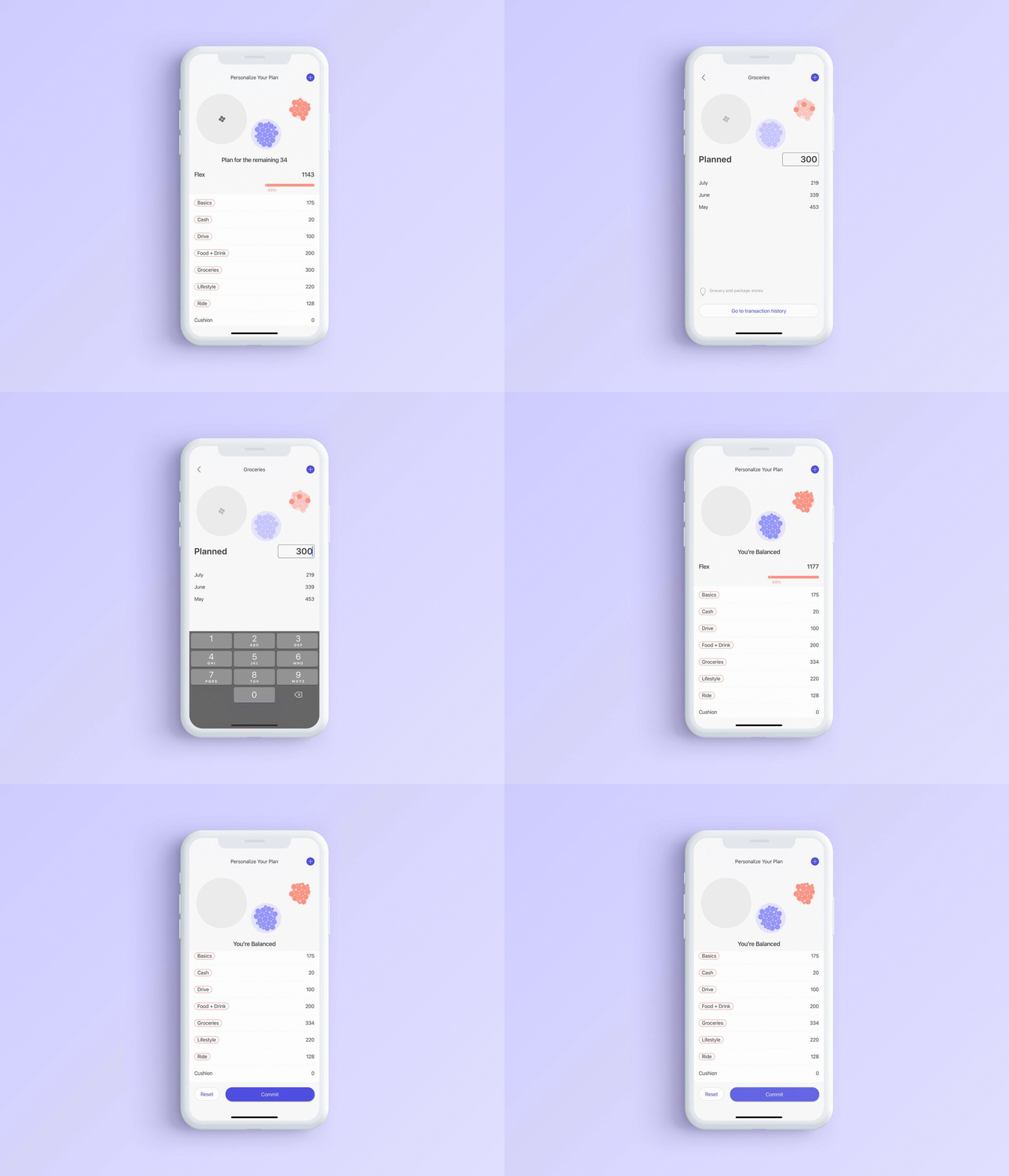
Once your Income and Sheltered expenses are set, make adjustments to your Flex expenses by tapping into the categories and adding or reducing the number of beans for that category.
To help you determine how much you should allocate to these categories, we display your activity so far this month and for each of the past three months. There's a guide at the bottom of the screen explaining the types of spending that make up this category and a link to its transactions.
There's also a cushion available to allow for some flexibility. We recommend a cushion of at least 50.
Commit to your Plan
Once you've allocated 100% of your Income, you'll be able to commit to your Plan. Before commiting, check to see that your Plan fits your life, reflects your priorities, and will get you to the next milestone.
Comments
0 comments
Article is closed for comments.